
Overview
A USB parameter programmer for AM32 ESCs. It bridges the computer tuning software to an ESC signal wire so users can read parameters, change settings, and flash firmware.
- USB programmer for AM32 ESCs
- Connects computer tuning software to the ESC signal wire
- Offline firmware flashing workflow recommended
Hardware revision
Check the sensor markings and component layout on your board against the manual and diagrams below.
Setup notes
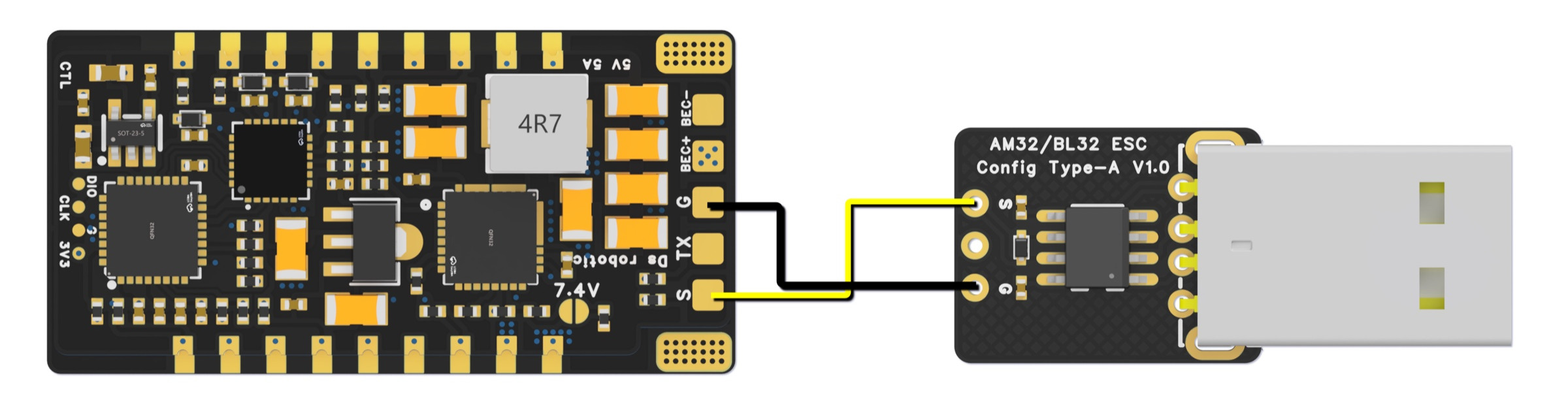
- Connect USB first, then connect the programmer signal wire to the ESC signal wire as shown in the diagram.
- Power the ESC appropriately when tuning or flashing according to the ESC manual.
- After flashing across multiple versions, send default settings if the manual workflow calls for it.
- Use offline parameter tuning software for firmware flashing.
- Manual warns not to use web-based parameter adjustment software for firmware updates.
- Web flashing has damaged ESC MCUs according to the manual; use the offline workflow.
Wiring & pinouts
Compare the supplied reference with the markings and revision of your own unit before use.
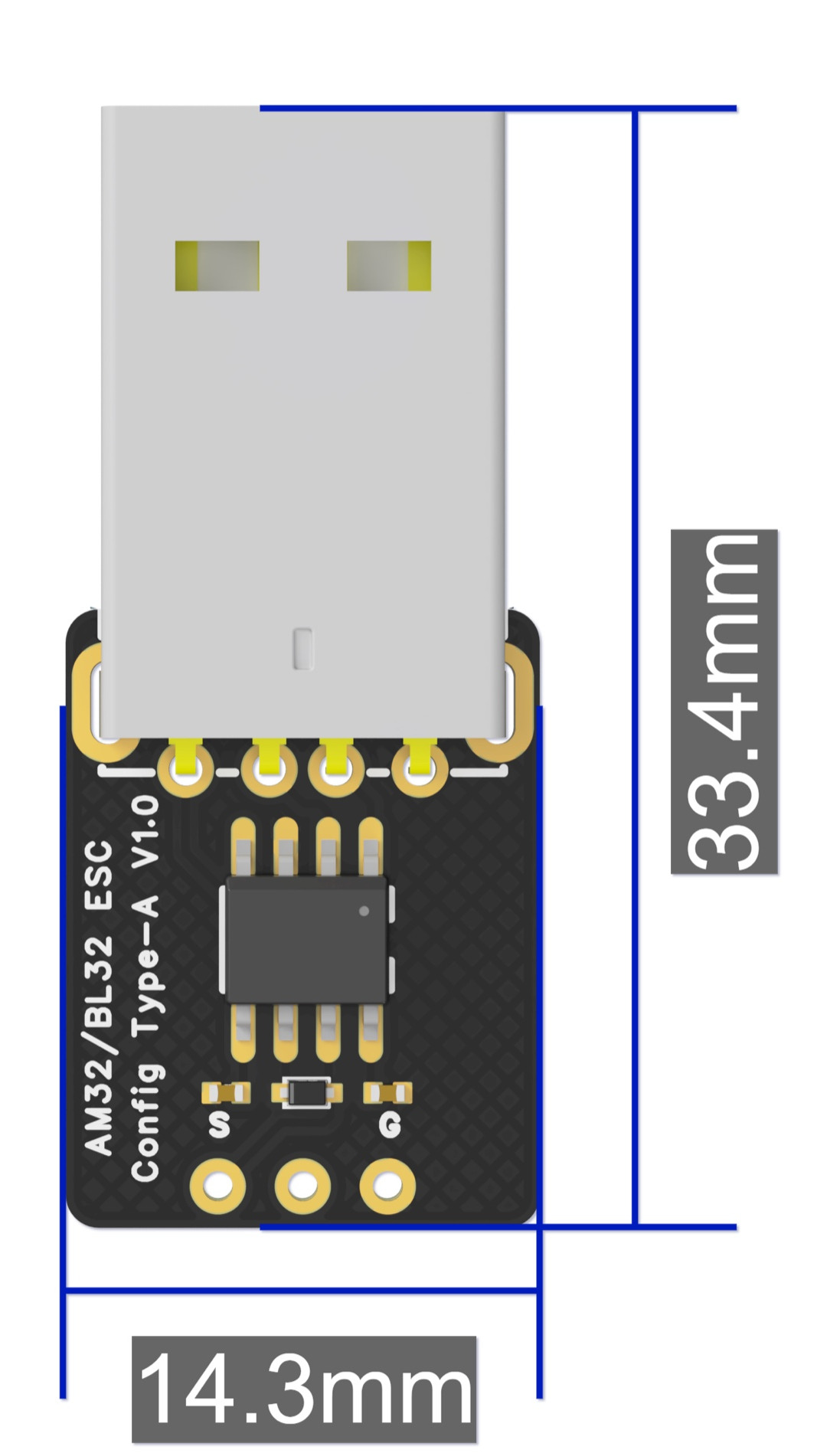
Dimensions & mounting
Check the published dimensions and connector clearance against your installation.
Manuals & references
Product manualOpen / download